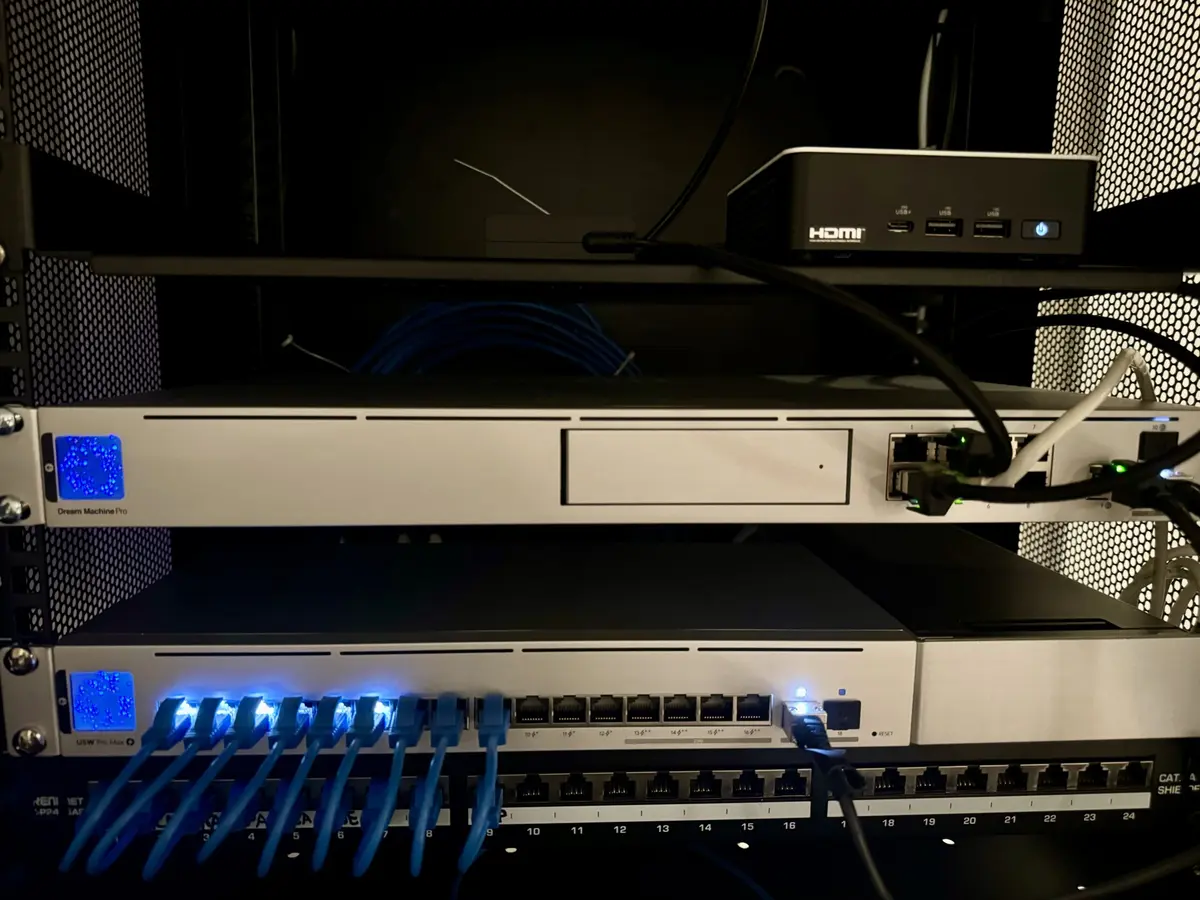
Finally, I had Cat6a wires run in my home so I could set up a proper network, including having ceiling-mount Wi-Fi access points with Cat6a backhaul. This is my first time working with UniFi, and thus far the software (iOS app, web app, etc.) is incredible.
I used LLM fusion to submit all of my network hardware, wire runs, and other details to have it plan out my server rack to optimize for spacing, cooling, and wire management. Quite happy with the end result.
Network Equipment and Tools
Here’s a comprehensive list of the equipment and tools I used for this network setup:
CategoryBrandModelLinkWi-Fi Access PointsUbiquitiU-7 ProLinkWi-Fi Access PointsUbiquitiU-7 Pro MaxLinkOutdoor Wi-FiUbiquitiU7 OutdoorLinkNetwork ControllerUbiquitiDream Machine ProLinkNetwork SwitchUbiquitiPro Max 16 PoELinkNetwork CabinetStarTech12U Wall Mount Network CabinetLinkPatch PanelTRENDnet24-Port Cat6A Patch PanelLinkKeystone JacktrueCABLEShielded Cat6A Keystone JackLinkBulk CableCable Matters10Gbps in-Wall Cat 6A Cable (1000 ft)LinkDAC Cable10GTekSFP+ DAC Twinax Cable, 10G SFP+ to SFP+LinkPatch CablesRapinkCat6a Slim Patch CablesLinkToolsKATA5 Inch Micro Wire CuttersLinkToolsKleinVDV226-110 Ratcheting Modular Data Cable CrimperLinkToolsKleinVDV110-295 High Carbon Steel Radial StripperLinkToolsKleinVDV427-300 Impact Punchdown ToolLinkToolsKleinVDV526-200 Cable Tester, LAN Scout Jr.Link
I am realizing that barely any devices currently support Wifi 7, and iPhones do not particularly gracefully handoff when 6ghz network signal is not strong, so I may have to turn off things. For problematic devices, it’s definitely necessary to create a separate 5G network within UniFi and disable 6ghz on that network.
Will update this post as I learn more.